
How It Works
Your shopping list, built while you sleep.
The Weiser Cabinet tracks what your household uses up — so you never have to think about what to buy next. Scan at the trash can. That's it. Put your shopping in the FLOW.
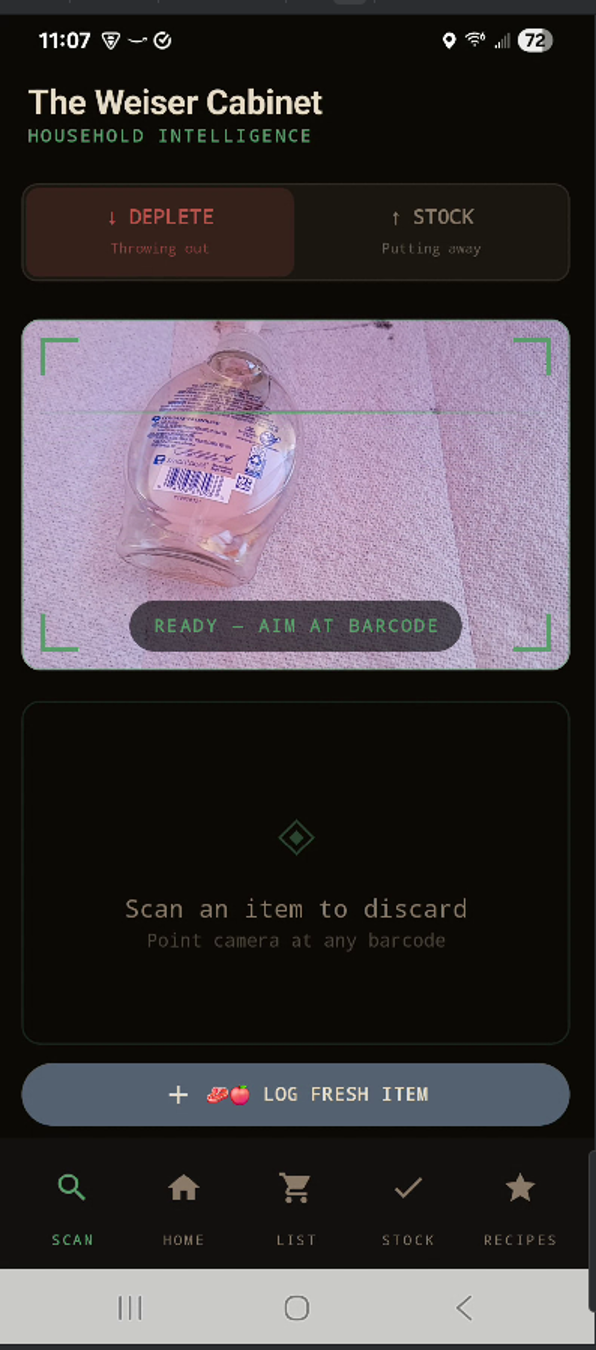
Step 01 — The Habit
Scan it when you throw it out.
When you finish something and you're about to throw away the packaging, that's when you scan it. Empty bottle going in the trash? Scan it. That moment — the throw-away moment — is when the app learns your household ran out of something.
One quick scan. The app confirms the product and you move on. That's the entire habit.
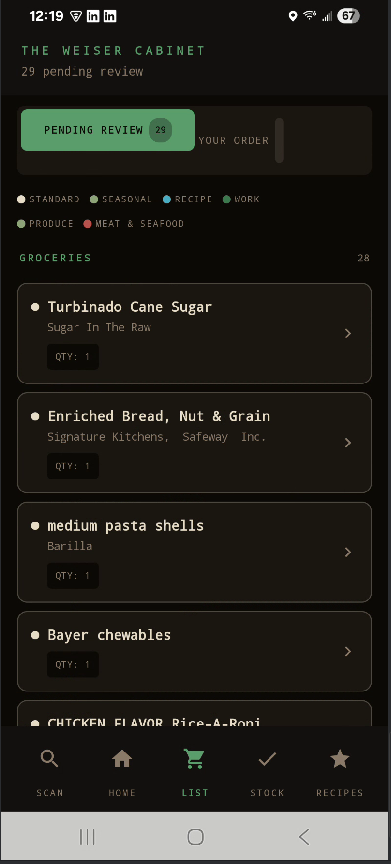
Step 02 — While You Sleep
The list builds itself.
Every night at 2 AM, the app goes to work. It looks at everything you've scanned, figures out what your household is running low on, and builds your shopping list — while you sleep. By morning, it's ready for you.
Open the List tab, review what the app found, and approve the items you want. The more you scan, the smarter it gets.
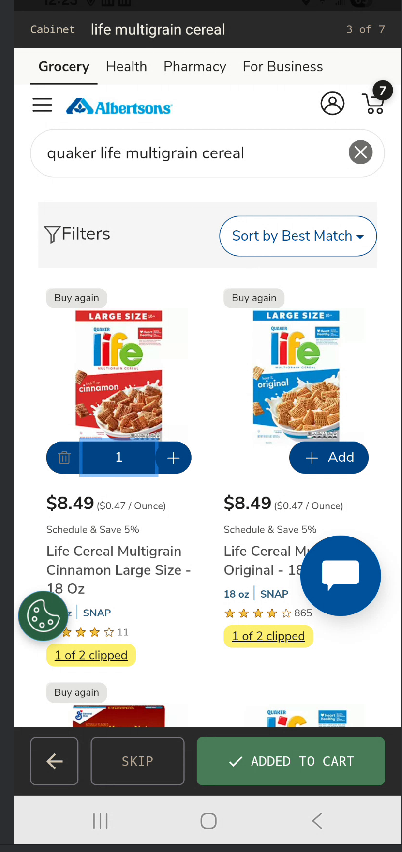
Step 03 — Place Your Order
Shop directly. One item at a time.
For supported stores, tap Shop Now and the app opens that store's website and takes you straight to a search for your first item. Add it to your cart, tap Added to Cart, and the app moves you to the next item automatically.
Prefer to shop yourself? Tap Send List to Email and the app sends your full list, organized by store, straight to your inbox.
Step 04 — Close the Loop
Tell the app what came home.
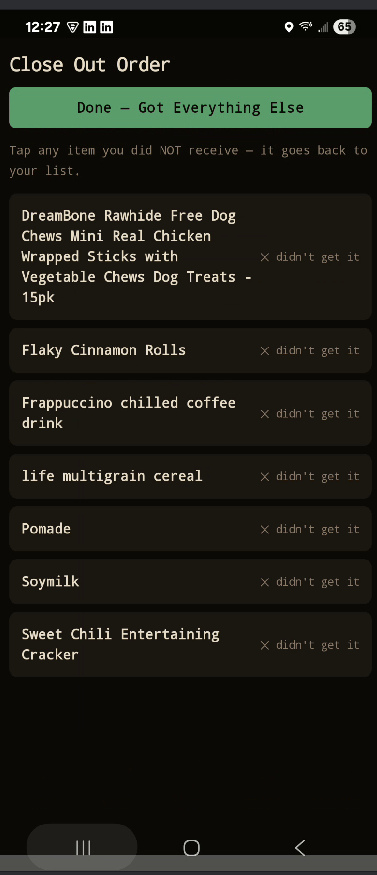
After your order arrives, tap Close Out Order. Go through what was on your list. If something didn't make it — out of stock, substituted, or skipped — tap it and it steps back to your pending list. Everything else gets marked received.
Your stock updates, and the flow takes care of the rest. Your groceries are in the flow.
The Nightly Engine
2 AM, every night, without you.
You scan throughout the day. At 2 AM the engine runs. By morning your list reflects everything your household has used — ready to act on.
That's the cycle. It runs whether you think about it or not.
Get Started
Two minutes to set up.
One scan to begin.
Request an Invite to Early Access
Go to theweisercabinet.com/invite. Once your access is approved, you'll set up your household — give it a name, choose your stores, and enter your email. Takes about two minutes.
Download the app
You'll receive an invite code, a recovery code, and a link to download the app — by email and right on screen. Open the app, enter your invite code and your name, and you're in.
Scan something
Next time you throw something away, scan the barcode first. That's the whole habit. Track what you use up.
Early access is open. Request an Invite to Early Access.
Request Early Access - free subscription for your household!